Category: Software

Making Munin work with Mysql on Debian

Easier than I thought (all stuff as SU or using SUDO):

First we need to install some Mysql-Munin perl libraries:

apt-get install libipc-sharelite-perl

Also some Perl stuff will be needed:

perl -MCPAN -eshell
install IPC::ShareLite

Next let's activate Munin Mysql plugin:

# Assuming you have already installed both munin & mysql
ln -s /usr/share/munin/plugins/mysql_* /etc/munin/plugins

Create a user for a Mysql database (so Munin will be able to get stats as this user):

mysql> CREATE USER `munin` @`localhost` IDENTIFIED BY 'somepassword';
mysql> GRANT SUPER ON *.* TO `munin` @`localhost`;
mysql> FLUSH PRIVILEGES;

Edit /etc/munin/plugin-conf.d/munin-node file and find [mysql*] section:

[mysql*]
user root
env.mysqlopts --defaults-file=/etc/mysql/debian.cnf
env.mysqluser munin

Let's also disable WARN: MySQL InnoDB free tablespace information (in most cases it is not valid):

Create a file /etc/munin/plugin-conf.d/mysql_innodb and place following lines into it:

[mysql_innodb]
env.warning 0
env.critical 0

or if You don't need InnoDB part, just turn it off by removing the symlink:

rm /etc/munin/plugins/mysql_innodb

Restart both Apache & Munin:

/etc/init.d/apache2 restart
/etc/init.d/munin-node restart
su munin -c /usr/bin/munin-cron

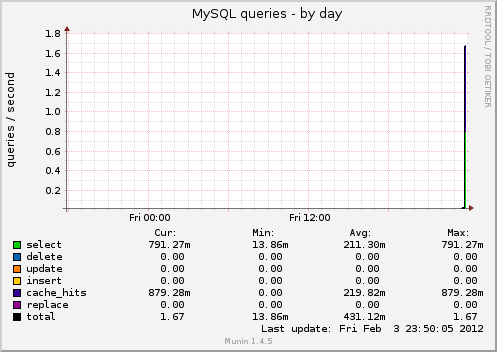
Wait until charts regenerate and You're ready to go! Example (generated for the first time):
Upgrading to Rails 3.2.0 from Rails 3.1.3

Yup, finally it's here! :) Switching Susanoo (Senpuu v5) to 3.2 wasn't so hard. Took me about 5 hours. Why so long? Well because I had to fix my "special" Paperclip version and make so additional table names changes. All the steps are presented below. Enjoy.

Gemfile

gem "rails", '3.2.0'

group :assets do
  gem 'sass-rails', '~> 3.2.3'
  gem 'coffee-rails', '~> 3.2.1'
  gem 'uglifier', '>= 1.0.3', :require => 'uglifier'
end

Weird stuff

rename hash column hash is defined by ActiveRecord

I've got some problems with my attributes names. Looks like, you cannot use "hash" as an attribute name. Also weird stuff was happening with my "email_change" attribute. I could write to it but I could not retrieve values (always nil). Renaming those two attributes fixed problems. So just:

        rename_column :users, :email_change, :changed_at

Small fixes

Instead of:

set_table_name :table

use:

self.table_name= :table

Templates

Passing the format in the template name is deprecated. 
Please pass render with :formats => [:html] instead

When using render with a template we've been passing a template format. For example:

render "/shared/404.html", :status => 404, :layout => false

Now we don't need to provide the file format, instead we just do it like this:

render "/shared/404", :formats => [:html], :status => 404, :layout => false

Form builder doesn't accept range as a param :(

Don't know why this is not supported. When building forms, we cannot pass a range. Instead we must pass an array. So to fix it just perform to_a on a range:

# Won't work:
1..31
# Works like a charm:
(1..31).to_a

Write inheritable attribute

Last but not least, write_inheritable_attribute was removed so now instead of:

write_inheritable_attribute(:attribute_name, value)

we should use:

class_attribute :attribute_name
self.attribute_name = value

Copyright © 2026 Closer to Code

Theme by Anders NorenUp ↑